0%

Buying a Vehicle Camera for an international fleet is not just a matter of choosing the sharpest image. The right system must suit the vehicle, route, climate, and daily workflow. A delivery van crossing bright coastal roads has different needs from a bus operating before dawn. Small details matter: mounting position, night glare, vibration, cable routing, and how quickly footage can be reviewed. Specifications help, but they do not tell the whole story.

Professor Mohan Trivedi, an intelligent-vehicle and computer-vision researcher at the University of California, San Diego, offers a useful technical perspective. A concise paraphrase of his research is: “A camera is valuable only when its captured information can be interpreted reliably.” This is not a verbatim quotation. It points buyers toward image quality, system integration, and dependable operation—not resolution alone. A crisp picture is useful. A usable record is better.

The ten tips ahead cover image sensors, lens coverage, low-light performance, recording options, storage, connectivity, installation, durability, supplier support, and total cost. Compare sample footage in conditions close to your own: a wet windshield, a dim loading bay, or strong afternoon sun. Ask who handles updates and troubleshooting after installation. Check regional requirements before purchasing or deploying equipment. Those details deserve attention. Even careful buyers can overlook them. And a polished specification sheet can still leave practical questions unanswered.
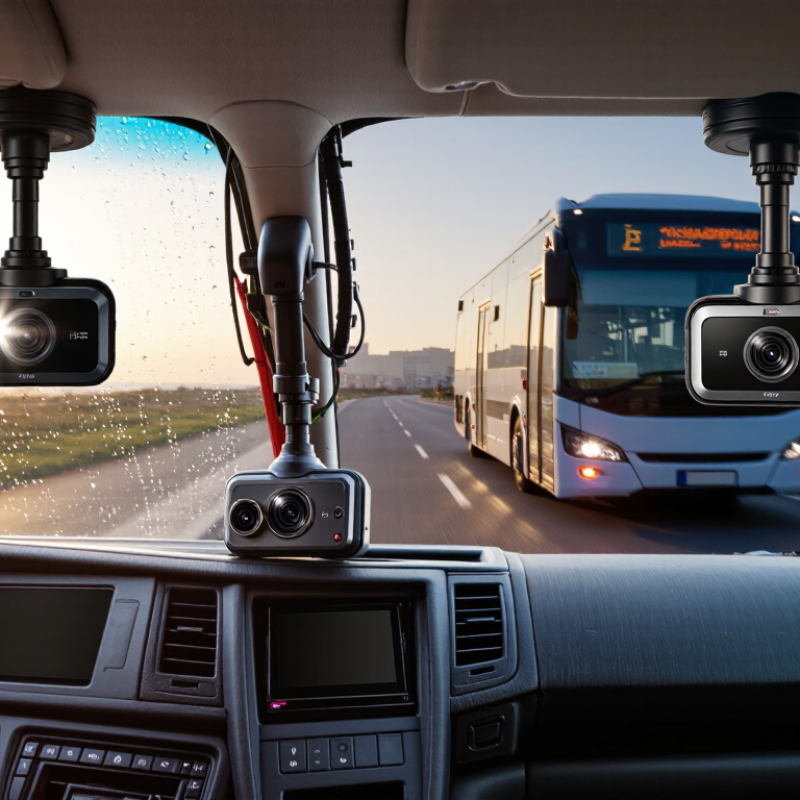
10 Vehicle Camera Buying Tips for Global Buyers

Define the Use Case: Select In-Cabin, Road-Facing, or Multi-Camera Systems

An in-cabin camera suits driver coaching, passenger monitoring, or recording events inside a vehicle. Road-facing cameras capture traffic, road signs, and close calls through the windshield. Multi-camera systems can cover both areas, but they need more storage, careful positioning, and a clear plan for reviewing footage. A camera’s wide view may still miss a cyclist beside a door or a detail hidden by glare.

Match the setup to the risk you need to manage. For backing visibility, the National Highway Traffic Safety Administration estimated its rear-visibility rule could prevent 58 to 69 deaths each year. That figure concerns rear-visibility technology, not every aftermarket camera, so buyers should not treat it as a guaranteed result. Check image quality in low light, recording retention, and whether the camera stays stable on rough roads. Small details matter.

Tips: List the incidents you need to document before comparing systems. Choose in-cabin coverage for driver or passenger events; road-facing coverage for what happens ahead; and multiple views when blind spots or reversing are recurring concerns. Ask who will access recordings and how long they are kept. A broader system can help, but extra footage is not automatically useful. Decide what you will actually review.

10 Vehicle Camera Buying Tips for Global Buyers - Define the Use Case: Select In-Cabin, Road-Facing, or Multi-Camera Systems

Tip Use Case System Type Selection Guidance Checks Before Purchase
1. Define the primary purpose Documenting the road, monitoring the driver or cabin, or covering several vehicle areas. Road-facing, in-cabin, or multi-camera Choose the camera layout around the event or activity you need to record. A road-facing camera does not provide a full view of the cabin, and an in-cabin camera may not capture the road adequately. List the required views, who will use the footage, and how long recordings need to be retained.
2. Match the view to the subject Capturing traffic ahead, occupants, cargo, or areas around a vehicle. Single-view or multi-camera Check the lens angle and mounting position together. A wider field of view covers more area but can make distant details appear smaller. Review sample footage from the intended mounting position, not just the camera specifications.
3. Choose resolution for the task Routine incident records or applications where identifying fine details matters. Any camera type Compare recorded detail at the expected viewing distance. Resolution alone does not determine image quality; lens, sensor, lighting, and compression also affect the result. Check actual recorded files, frame rate, storage use, and playback compatibility.
4. Assess low-light performance Night driving, dimly lit cabins, garages, or early-morning operations. Road-facing or in-cabin Look for usable footage in the lighting conditions expected in service. Exposure handling and glare control can affect whether details remain visible. Test at night and in bright-to-dark transitions; check for reflections from glass and dashboard surfaces.
5. Plan camera placement Windshield installation, cabin coverage, rear views, or vehicle perimeter monitoring. Single-view or multi-camera Confirm that each camera can be mounted securely without obstructing the driver's view or interfering with vehicle controls. Check local windshield-mounting rules, cable routing, airbag locations, and the vehicle manufacturer's installation guidance.
6. Select an appropriate recording method Continuous journeys, event-based recording, or fleet review. Standalone or connected system Determine whether recording is continuous, loop-based, triggered by an event, or managed through a separate recorder. Confirm how important clips are protected from routine overwrite. Check storage capacity, supported memory media, file export steps, and recording behavior when storage is full.
7. Estimate storage needs Short trips, long shifts, or multiple camera feeds. Any camera type; especially multi-camera Storage demand depends on resolution, frame rate, compression, number of cameras, and recording duration. More simultaneous views generally require more capacity. Calculate retention using the system's stated recording rate and verify that the chosen storage is supported.
8. Check power and operating conditions Daily use in varying climates or vehicles that may be parked for long periods. Any camera type Confirm the required power input, operating temperature range, and behavior when the vehicle is off. Parking recording may require a suitable power setup and battery protection. Review installation requirements and avoid wiring that could interfere with vehicle electrical systems.
9. Evaluate multi-camera compatibility Covering the road and cabin, front and rear views, or several vehicle zones. Multi-camera system Confirm the recorder supports the required number and type of camera inputs, synchronized recording, and the intended display or playback method. Verify cable lengths, connector compatibility, channel limits, and whether each view records at the required quality.
10. Review privacy and data handling Recording drivers, passengers, employees, or people outside the vehicle. In-cabin or multi-camera Set clear rules for access, retention, sharing, and deletion. Requirements differ by country and may depend on where cameras are positioned and how footage is used. Check applicable local privacy and recording laws, provide required notices, and limit access to authorized users.

Compare Resolution: 4K UHD (3,840 × 2,160) Provides About 8.3 MP

10 Vehicle Camera Buying Tips for Global Buyers

4K UHD resolution measures 3,840 × 2,160 pixels, or about 8.3 megapixels. That gives footage more image detail than many lower-resolution options. Fine edges, road signs, and vehicle shapes may appear clearer when viewed on a suitable screen. But resolution alone cannot promise readable details. Lens quality, sensor performance, focus, and image compression also matter. Numbers can mislead.

For a practical comparison, inspect sample footage recorded in daylight and at dusk. Pause on a moving vehicle, then check whether its outline stays distinct without excessive sharpening or blur. A crowded parking area can reveal how well the camera handles small details. Ask about the actual recording mode, not just the maximum advertised resolution. Some systems reduce frame rate or increase compression at their highest setting. That trade-off may be easy to miss.

Tips: Compare clips on the same display and at the same size. Check storage needs, since 4K files can fill a card quickly. Confirm that the camera records consistently in your expected conditions. If possible, test a sample before buying; a specification sheet cannot show every weakness. I would not choose by pixel count alone. My own first comparison would still be imperfect without checking low-light footage.

Estimate Storage: A 1 Mbps Stream Uses About 10.8 GB per Day

A steady 1 Mbps stream carries 0.125 MB each second. Over 24 hours, that equals roughly 10.8 GB per camera, using decimal storage units. A practical estimate starts there, not with resolution alone. Frame rate, compression, scene movement, and audio also affect the recorded bitrate. A quiet loading bay may use less data than a busy gate. Still, variable-rate recording can spike during activity. Leave room for it.

For four cameras running continuously, budget about 43.2 GB per day, or roughly 1.3 TB for 30 days, before overhead and reserve capacity. That is an estimate, not a guarantee. Check the average bitrate across a representative day, including nighttime footage and peak traffic. Then allow a margin for fluctuations and capacity that may not be fully usable. Small details count. Confirm whether the system records continuously or only during events; event-based recording can reduce storage, but missed triggers may leave gaps. It is easy to underestimate retention needs when multiplying a single camera’s figure.

Verify Durability: IEC 60529 IP67 Covers Dust and 1 m Immersion for 30 Minutes

For global buyers, an IP67 mark is a useful screening point, not a guarantee against every vehicle condition. IEC 60529:2013 defines IP6X as dust-tight and IPX7 as protection against temporary immersion. The IPX7 test uses immersion at 1 metre for 30 minutes under specified conditions. A small test detail matters. The rating applies to the tested configuration, not automatically to every cable, connector, or mounting method.

Ask for the laboratory report for the exact camera model and check whether the test included its connector, sealing cap, and cable exit. Look closely at gasket seams and screw openings; these are common places for water to find a path. IPX7 immersion testing does not, by itself, demonstrate resistance to water jets, pressure washing, detergents, vibration, or temperature cycling. IEC 60529 treats these ingress tests separately, while ISO 16750-3 covers mechanical loads for road-vehicle equipment. Match the report to the installation: a camera behind a wheel faces a different mix of spray and vibration than one inside a cab. IP67 is a strong baseline. It is not the whole story.

Check Regional Rules: UNECE R155 Requires a Vehicle Cybersecurity Management System

For global buyers, a vehicle camera is part of the vehicle’s digital attack surface, not just a lens and cable. In markets applying UNECE Regulation No. 155, vehicle manufacturers must operate an assessed Cybersecurity Management System (CSMS). It covers risk identification, mitigation, monitoring, and response across the vehicle lifecycle. The rule does not automatically require a separate R155 certificate for every camera. Buyers should ask how the camera is included in the vehicle’s cybersecurity risk assessment and approval process.

Ask for clear details on data flows, wireless connections, access controls, software updates, and vulnerability handling. Who can reach the camera’s settings? How are updates authenticated? What happens when a flaw is found after delivery? These questions matter.

Upstream Security’s 2024 Global Automotive Cybersecurity Report recorded 295 publicly reported automotive cyber incidents in 2023, a 21% increase from 2022. The figure covers reported incidents, not every event, but it shows why lifecycle oversight matters.

Request evidence, such as the vehicle maker’s CSMS scope, supplier security requirements, and update procedures. A polished document can still leave gaps; check whether the camera’s exact configuration is covered, especially when regional versions differ.

FAQS

Which vehicle camera setup should I choose?

Choose an in-cabin camera for driver or passenger events. A road-facing camera records traffic, signs, and close calls ahead. Multi-camera systems cover more areas but need extra storage and review time.

Can a wide-angle camera show every nearby hazard?

No. A cyclist beside a vehicle door may fall outside the view. Glare can also hide details. Check the camera’s actual coverage before relying on it.

Does a rear camera guarantee safer reversing?

No camera guarantees a specific result. A government estimate suggested rear-visibility rules could prevent 58 to 69 deaths each year. That estimate concerns rear-visibility technology, not every aftermarket camera.

Is 4K resolution enough to capture clear details?

4K UHD records 3,840 × 2,160 pixels, or about 8.3 megapixels. But lens quality, sensor performance, focus, and compression also affect clarity. Numbers can mislead.

How can I compare camera image quality?

View sample clips on the same screen and at the same size. Check a moving vehicle in daylight and at dusk. Look for blur, harsh sharpening, and unclear outlines.

How much storage does continuous recording need?

One camera streaming at 1 Mbps uses about 10.8 GB per day. Four cameras need roughly 43.2 GB daily, or 1.3 TB for 30 days, before extra capacity.

What can change a camera’s storage needs?

Frame rate, compression, audio, and scene activity all affect file size. A busy gate may use more data than a quiet loading bay. Leave room.

What should I check before choosing a multi-camera system?

Decide which incidents you need to document and who can review recordings. Check retention time, low-light footage, and stability on rough roads. I might still overlook something; test footage helps.

Conclusion

Choosing the right Vehicle Camera starts with defining how it will be used. An in-cabin camera can monitor the vehicle interior, a road-facing unit can record the view ahead, and a multi-camera system can cover several areas. Compare image resolution with the detail you need: 4K UHD, at 3,840 × 2,160 pixels, provides about 8.3 megapixels. Also estimate storage before selecting a system; a continuous 1 Mbps stream uses roughly 10.8 GB per day, though actual needs vary with recording settings and usage.

For dependable operation, check the camera’s durability rating and suitability for expected conditions. An IEC 60529 IP67 rating indicates protection against dust and immersion in up to 1 meter of water for 30 minutes under specified test conditions. Finally, review the regional requirements that apply to the vehicle and its electronics. For example, UNECE R155 calls for a vehicle cybersecurity management system. Considering use case, image quality, storage, durability, and applicable requirements together helps global buyers make a more informed choice.

Ethan

Ethan

Ethan is a professional marketer with a strong understanding of the company’s products and the needs they are designed to address. He regularly contributes expert articles to the company website, sharing clear, practical information to help readers better understand product features, compare......